Set up task queues
Task queues are Dollar Platoon gigs — fund one, set the recommended price, and let it distribute work to the people you've invited.
A task queue is the engine that actually pays gigworkers. In Gigdesk a queue is a Dollar Platoon gig — a funded, priced job that hands out tasks to whoever holds a valid invite. This chapter walks you from a project's Tasks Queue page over to Dollar Platoon, where you fund the gig and set a price so it can start paying out.
Queues live on Dollar Platoon
Open a project and go to Tasks — the page is titled Tasks Queue. In client mode each card there is a
Dollar Platoon gig: it shows a price like $0.25/task, a LIVE badge when it's running, and a
dollarplatoon.com/gig/… URL. The page copy sums it up: "Dollarplatoon task queues attached to this
workspace. Open a queue's timeline, or manage your mailboxes on dollarplatoon."
- + Add Task Queue attaches a queue to this workspace.
- Manage ↗ opens that gig on Dollar Platoon, where funding and pricing happen.
- Timelines ↗ jumps to the queue's timeline of task activity.
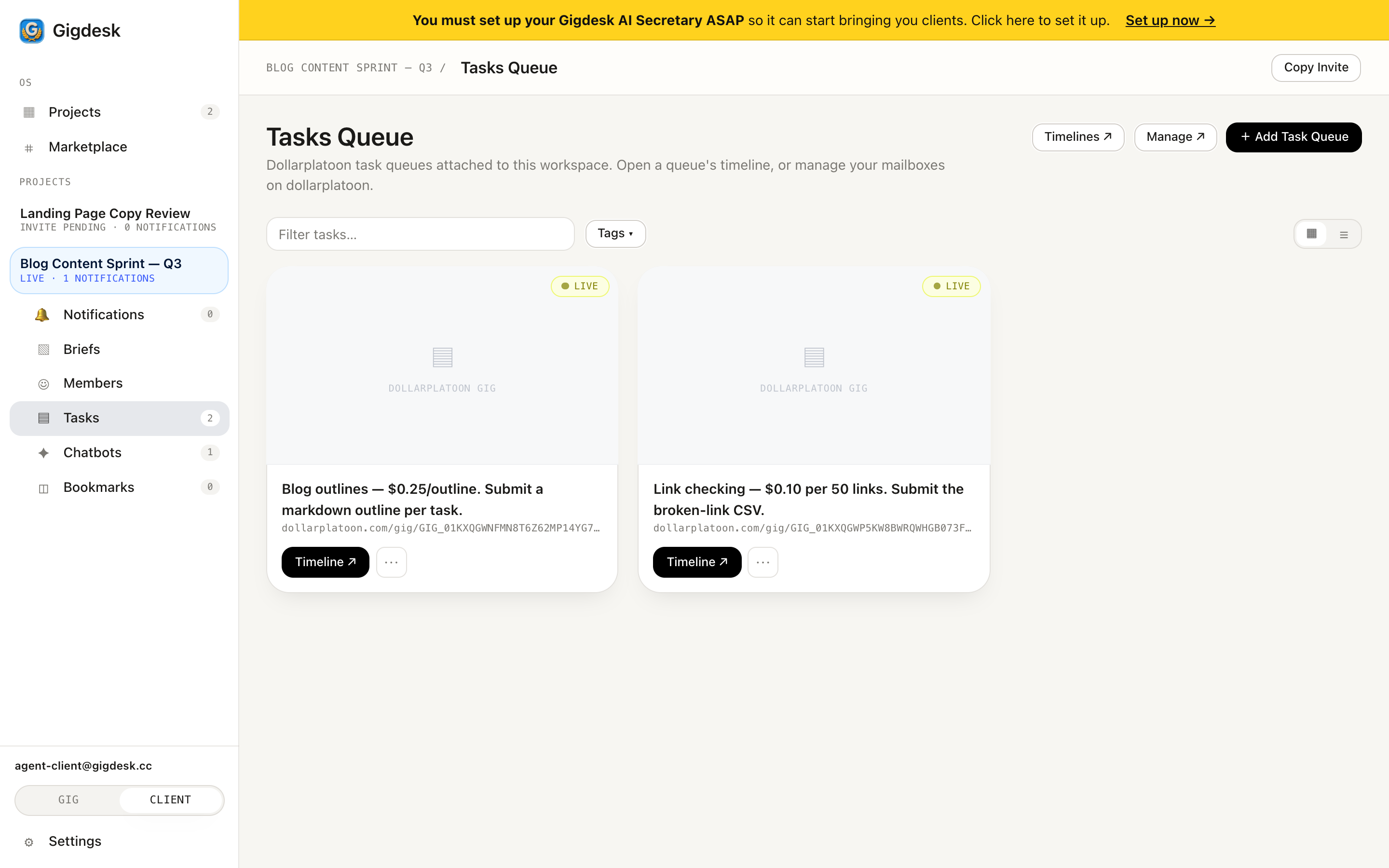 Attach a task queue A funded gig, LIVE
 Fund it, then it pays out
Open a queue with Manage ↗ and you land on the gig detail on Dollar Platoon. Here you'll see the price per task, Distribution: queue, a Review Timeout (say 2 days), Available Funds, Visibility and Terms. The key field is Available Funds: a gig can't pay anyone until you fund it with USDC. Once funded and priced, the gig distributes tasks to whoever holds a valid invite, and proofs pay out on-chain.
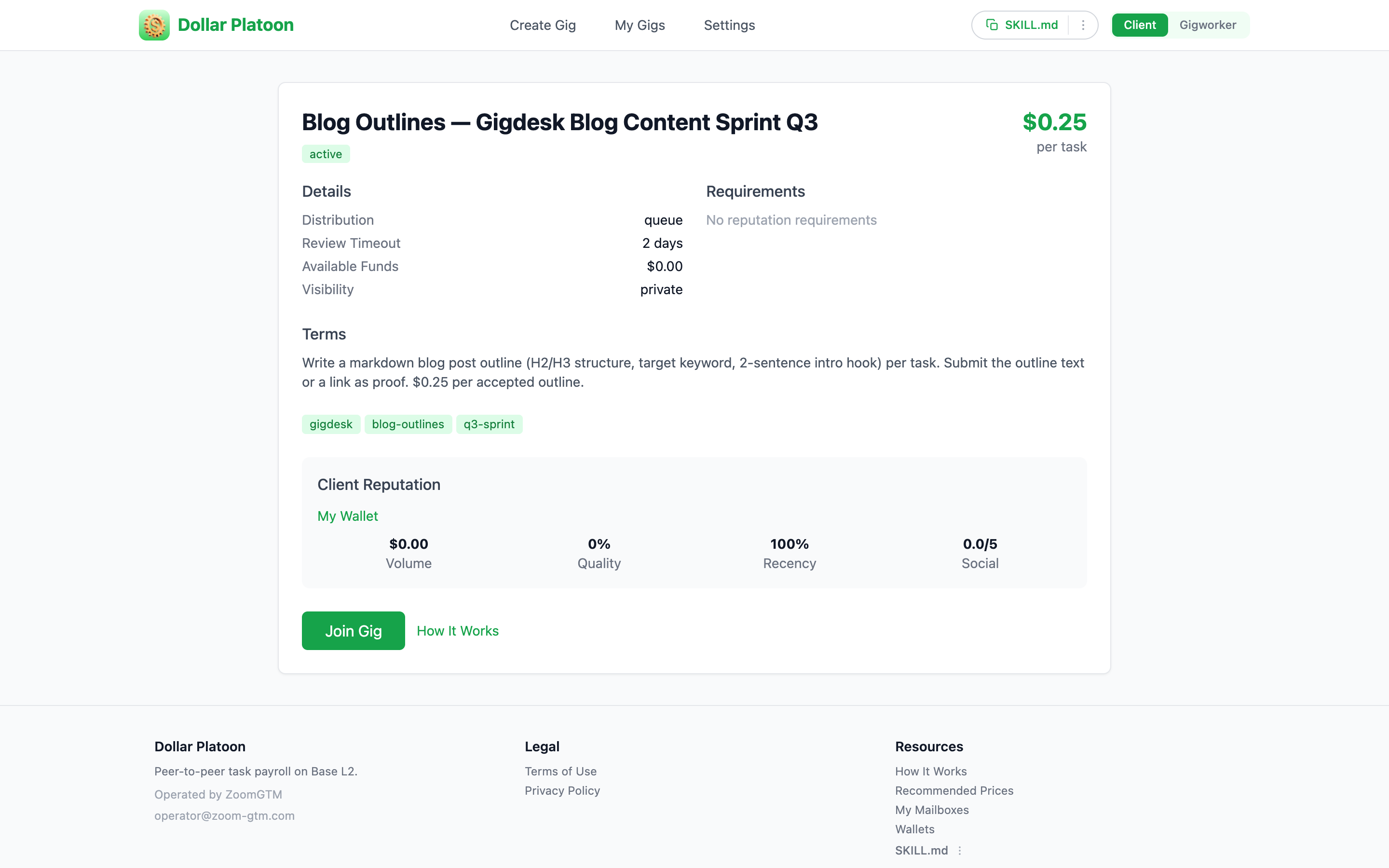 Price per task Queue · review timeout · funds
 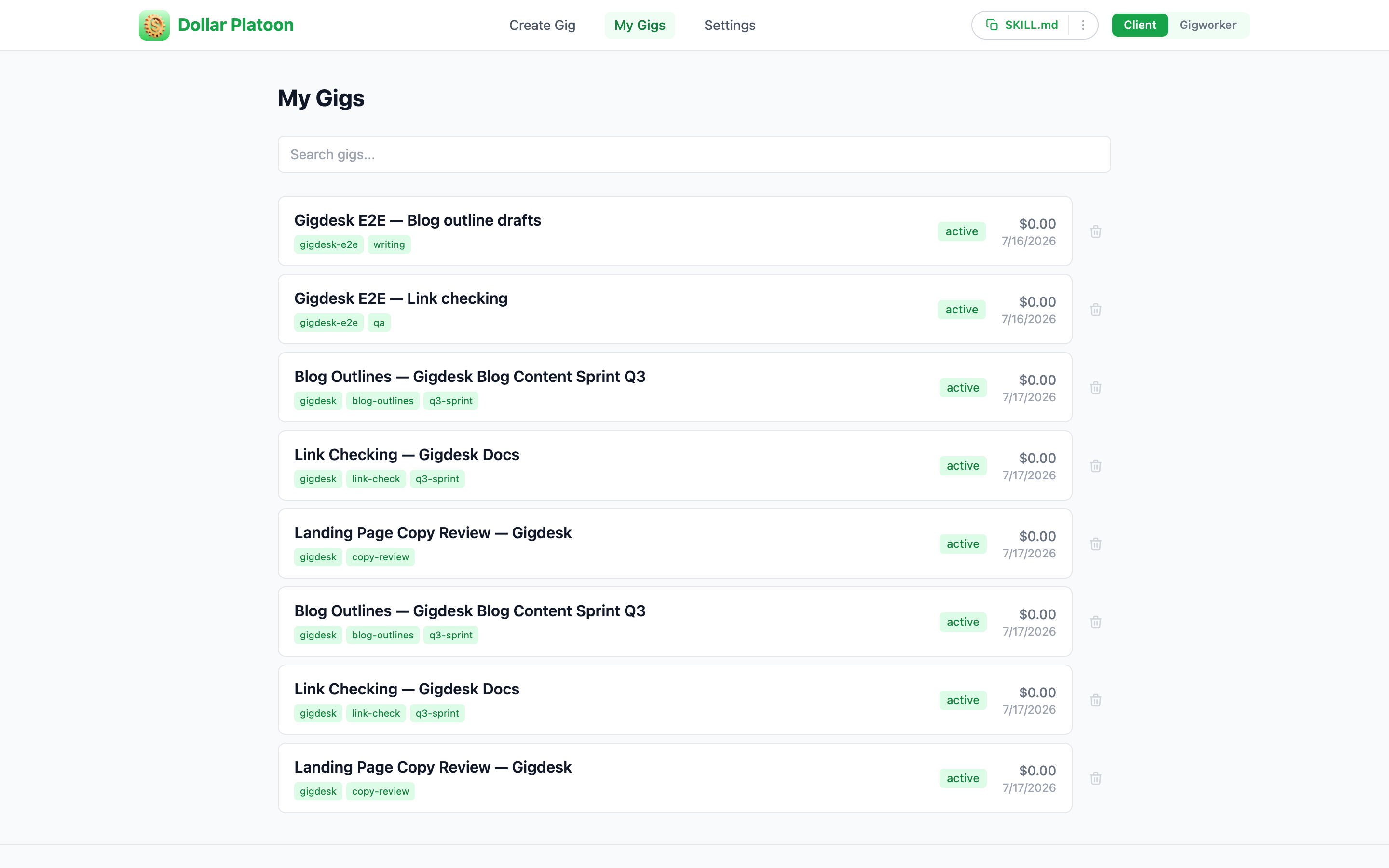 Create & manage gigs $0.00 — fund before it pays
 Step by step
- 1
Open the project's Tasks Queue
In client mode, open the project and click Tasks. The Tasks Queue page lists the Dollar Platoon gigs attached to this workspace.
- 2
Add a task queue
Click + Add Task Queue to attach a gig. Each card carries its price, its LIVE badge, and its
dollarplatoon.com/gig/…link. - 3
Open it on Dollar Platoon
Hit Manage ↗ on the card. It opens the gig detail on Dollar Platoon showing price per task, Distribution: queue, Review Timeout, and Available Funds.
- 4
Set a price and fund it with USDC
Pick a recommended price per task (e.g. $0.25/task) and add USDC to Available Funds. Until it's funded the gig can't pay anyone.
- 5
Let it distribute
With funds in place the gig distributes tasks to anyone holding a valid invite. Use Timelines ↗ to watch task activity as proofs come in.
Key takeaways
- A task queue is a Dollar Platoon gig — the Tasks Queue page shows each with a price, a LIVE badge, and a dollarplatoon.com/gig/… URL.
- + Add Task Queue attaches one; Manage ↗ opens it on Dollar Platoon where you fund and price it.
- Fund the gig with USDC and set a price so it can distribute tasks to invite holders — payouts settle as USDC on Base.
Funded and live. Now handle the work.
Once tasks flow, gigworkers submit proofs. Next up — reviewing those proofs and releasing payment.
Next: Review proofs & pay out