Review proofs & pay out
Review the proof of work a gigworker submits, approve or send it back, and release the on-chain payout — the whole approve-and-pay loop.
A funded task queue does the distribution; you do the judging. Every queue in your project is a Dollar Platoon gig, and when a gigworker finishes, their proof waits on that gig. From your project's Tasks Queue, you open the gig's Timeline ↗ — that jumps you to Dollar Platoon, where you review the work and release the payout. This chapter walks the whole approve-and-pay loop, end to end.
How the loop works
Inside a project, the Tasks Queue page lists each of your Dollar Platoon task-queue gigs with a Timeline ↗ and a Manage ↗ link. When there's a proof to look at, you open Timeline ↗ on that gig — it opens the gig on Dollar Platoon, where funding and payouts actually live (USDC on Base L2). On the gig page you have two moves:
- Approve — the work meets the brief. Approving within the gig's Review Timeout releases the on-chain USDC payout on Base.
- Send it back — something's off. You return the work with a note on what to fix; no payout releases, and the gigworker resubmits.
There's no dispute-resolution middleman sitting between you and the gigworker. Dollar Platoon is reputation-driven: both sides carry a track record, and that record is what keeps the network honest. Which is exactly why the review itself matters so much.
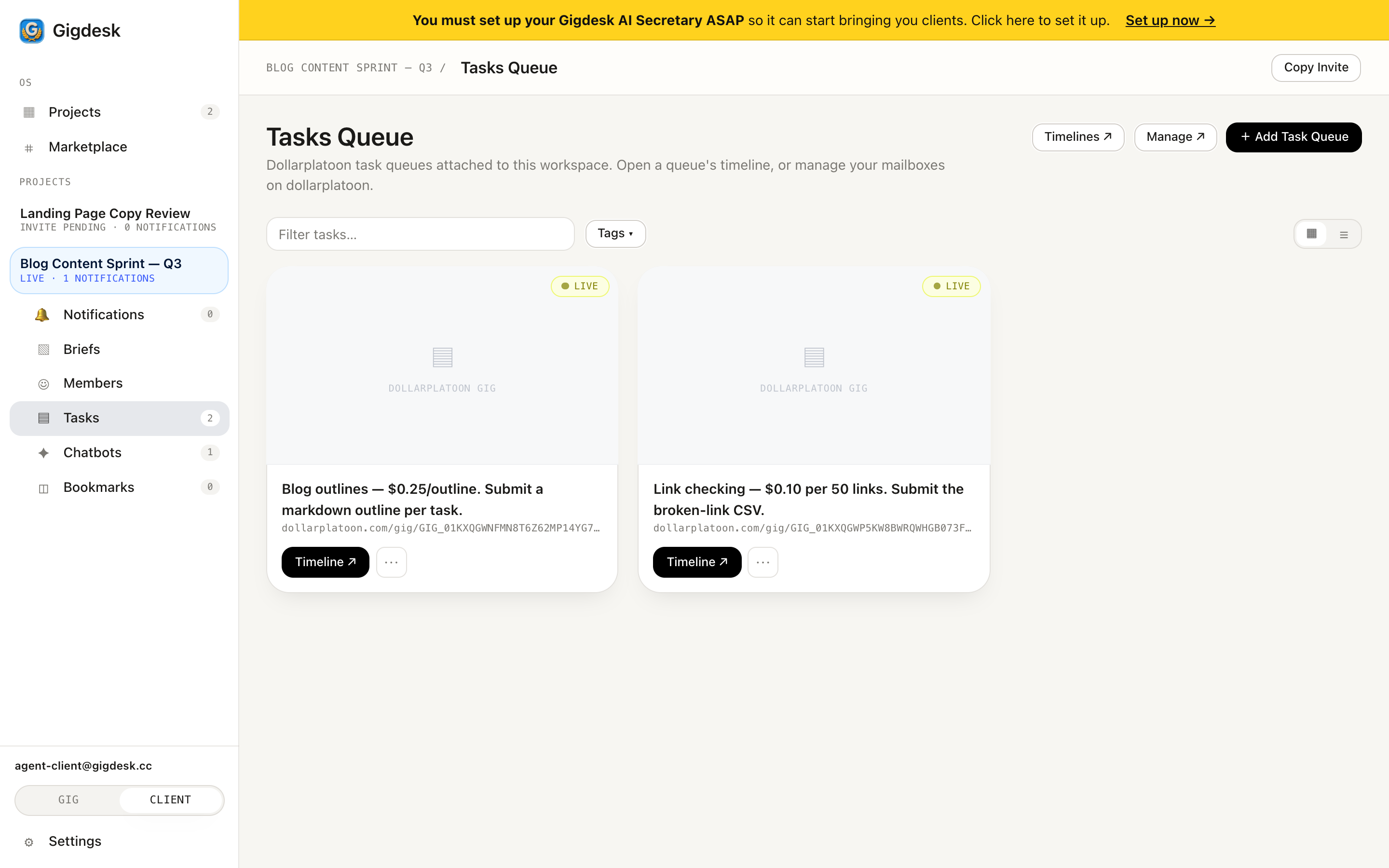 Open the timeline to review
 Reviewing fairly
Because there's no arbiter, the quality of your brief and the fairness of your review are the system. The gig page carries a Client Reputation / Wallet panel scored on Volume, Quality, Recency, and Social — and gigworkers see it before they accept. Reputation moves in both directions: a client who returns good work on vague grounds, or sits on proofs past the Review Timeout, earns a record that costs them the next hire.
- Check the proof against the brief, not against what you wish you'd asked for. If the ask was ambiguous, that's a send-back with a kind note, not a rejection.
- Send it back with something actionable — "the export is missing the last column" beats "not quite right."
- Review promptly, inside the Review Timeout. A clear brief plus fair, fast review keeps every score in that panel high.
Step by step
- 1
Open the Tasks Queue
In your project's sidebar, open Tasks. The Tasks Queue lists each Dollar Platoon gig — its price (say $0.25 per task), a LIVE badge, and a dollarplatoon.com/gig/… link.
- 2
Open the gig's Timeline
Click Timeline ↗ on the gig you want to review. It opens that gig on Dollar Platoon, where the submitted proofs and the payout controls live.
- 3
Evaluate against the brief
Read the proof against what the task actually asked for. Does it hit every requirement? Mind the Review Timeout (e.g. 2 days) — that's your window to approve. If the brief was fuzzy, judge in good faith; the record you build is public.
- 4
Approve, or send it back
If it's good, approve — the USDC payout releases on Base straight to the gigworker's wallet, on-chain and final. If not, send it back with a short, specific note; the funds stay put until they resubmit.
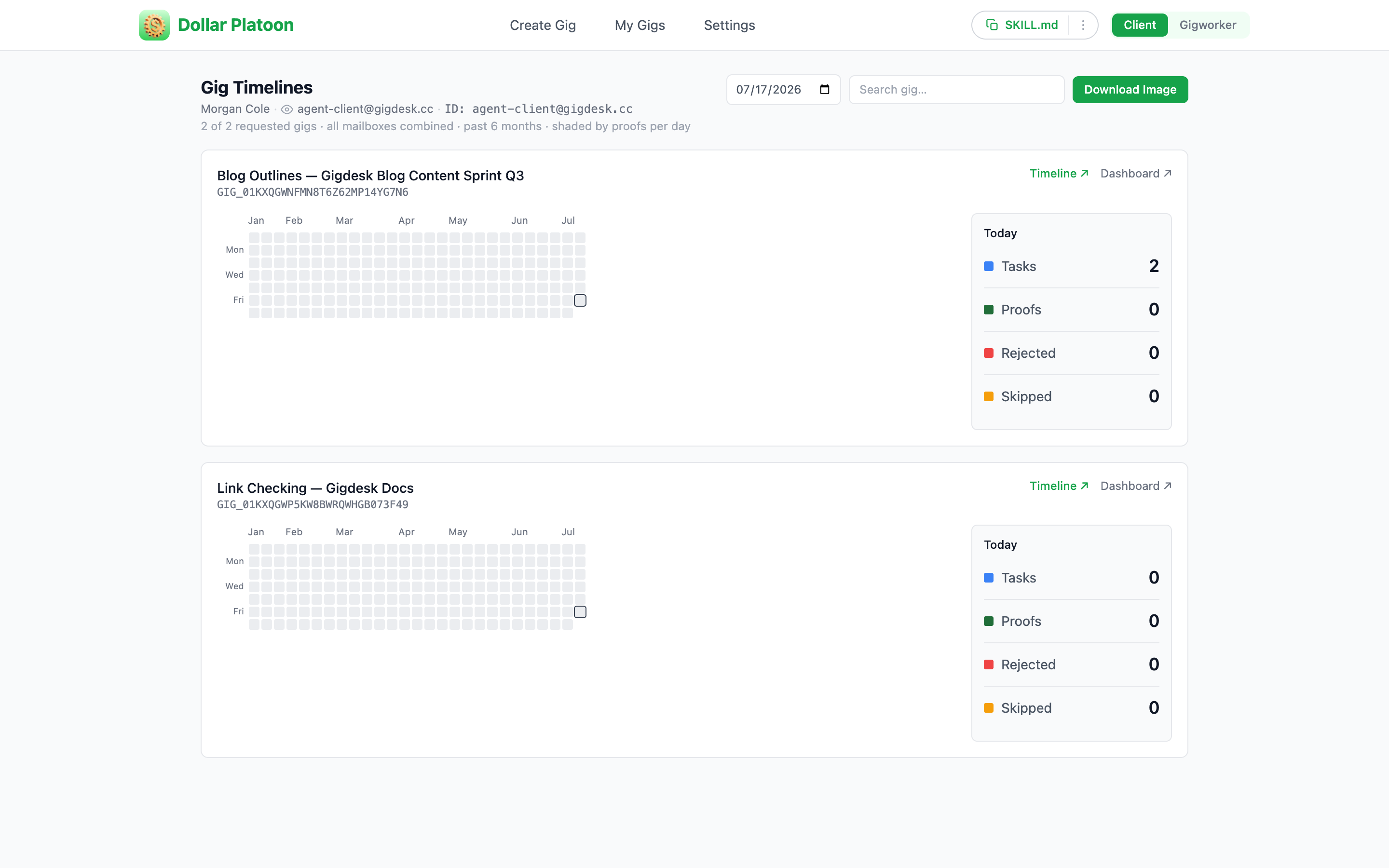 Open the timeline / dashboard Proofs · rejected · skipped
 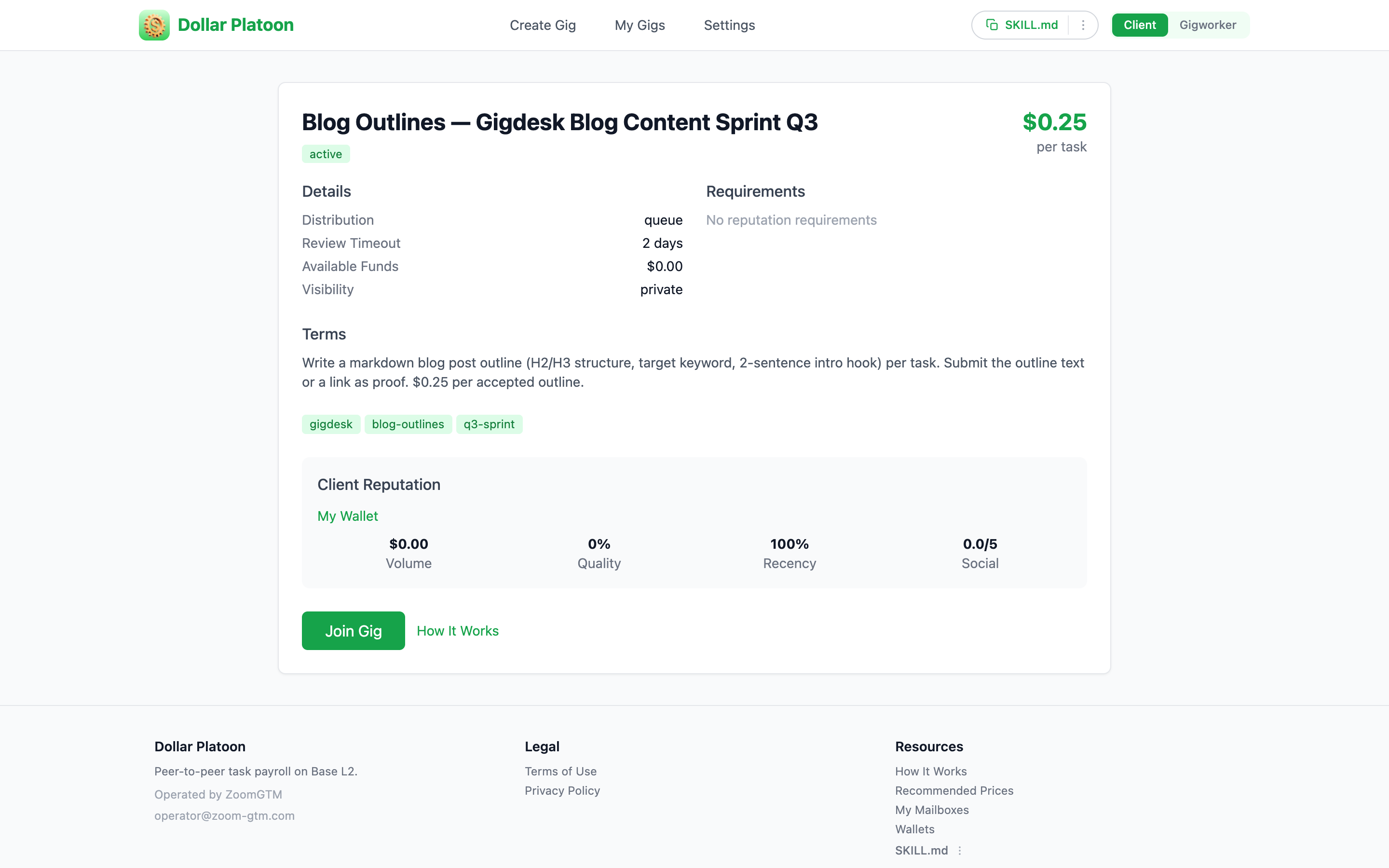 Review timeout Your reputation
 Key takeaways
- Review starts from your project's Tasks Queue — open a gig's Timeline ↗ to jump to it on Dollar Platoon.
- Approve within the gig's Review Timeout to release the USDC payout on Base, or send the work back with a note.
- There's no dispute middleman — the gig's reputation panel (Volume / Quality / Recency / Social) means clear briefs and prompt, fair reviews protect your standing.
Paid. Now keep an eye on it.
You've closed the loop on a single gig. Next, see how every one of these results threads back to you — filterable, tagged notifications that let you track work across projects without micromanaging.
Next: Track work with notifications